Interest FD 余额可无缝用于所有游戏类别 |
|---|
|
star8web.com 的 Interest FD 功能允许 Star8 Sign In 用户将 Interest FD 余额直接带入游戏, 包括 Slots、Live、Sports、Lottery、Fishing 等更多类别。 此升级让你的 Interest FD 资金无需单独转账即可在游戏中即时使用,带来更顺畅、更快速的游戏体验。 |




步骤 1 – 打开游戏大厅 |
|---|
|
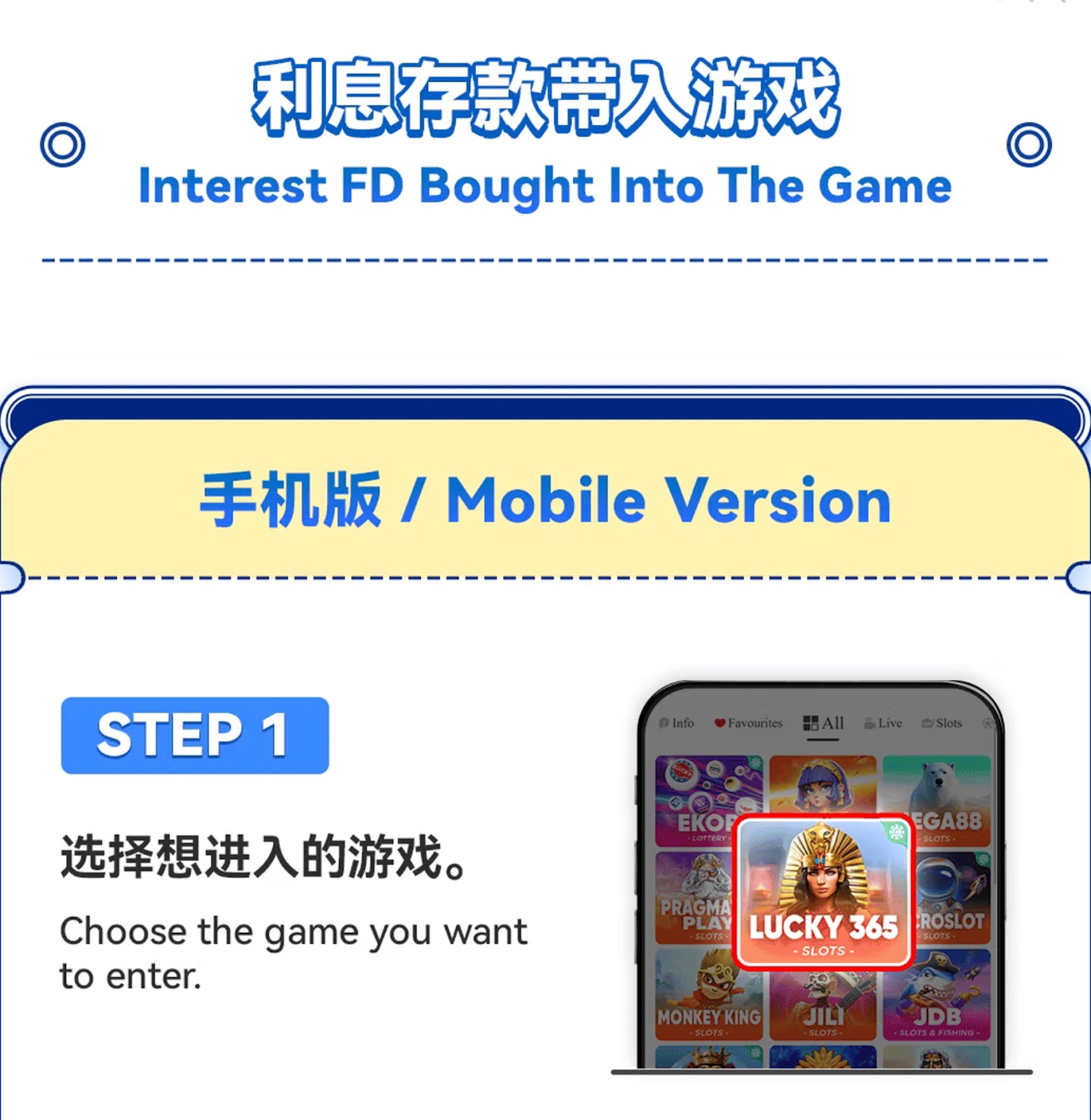
使用 Star8 Sign In 登录 star8web.com,并进入手机端游戏大厅。 |
步骤 2 – 选择你想玩的游戏 |
|---|
|
选择任意支持的类别,例如 Slots、Live 或 Fishing。 |
步骤 3 – 进入所选游戏房间 |
|---|
|
点击你要玩的游戏,系统将加载游戏界面。 |
步骤 4 – 选择 “Interest FD” 余额 |
|---|
|
在余额选择窗口中,点击使用 Interest FD 作为游戏筹码来源的选项。 |
步骤 5 – 开始游戏 |
|---|
|
选择 Interest FD 后,游戏内余额会立即同步,让你畅玩不间断。 |
步骤 6 – 重要使用说明 |
|---|
|
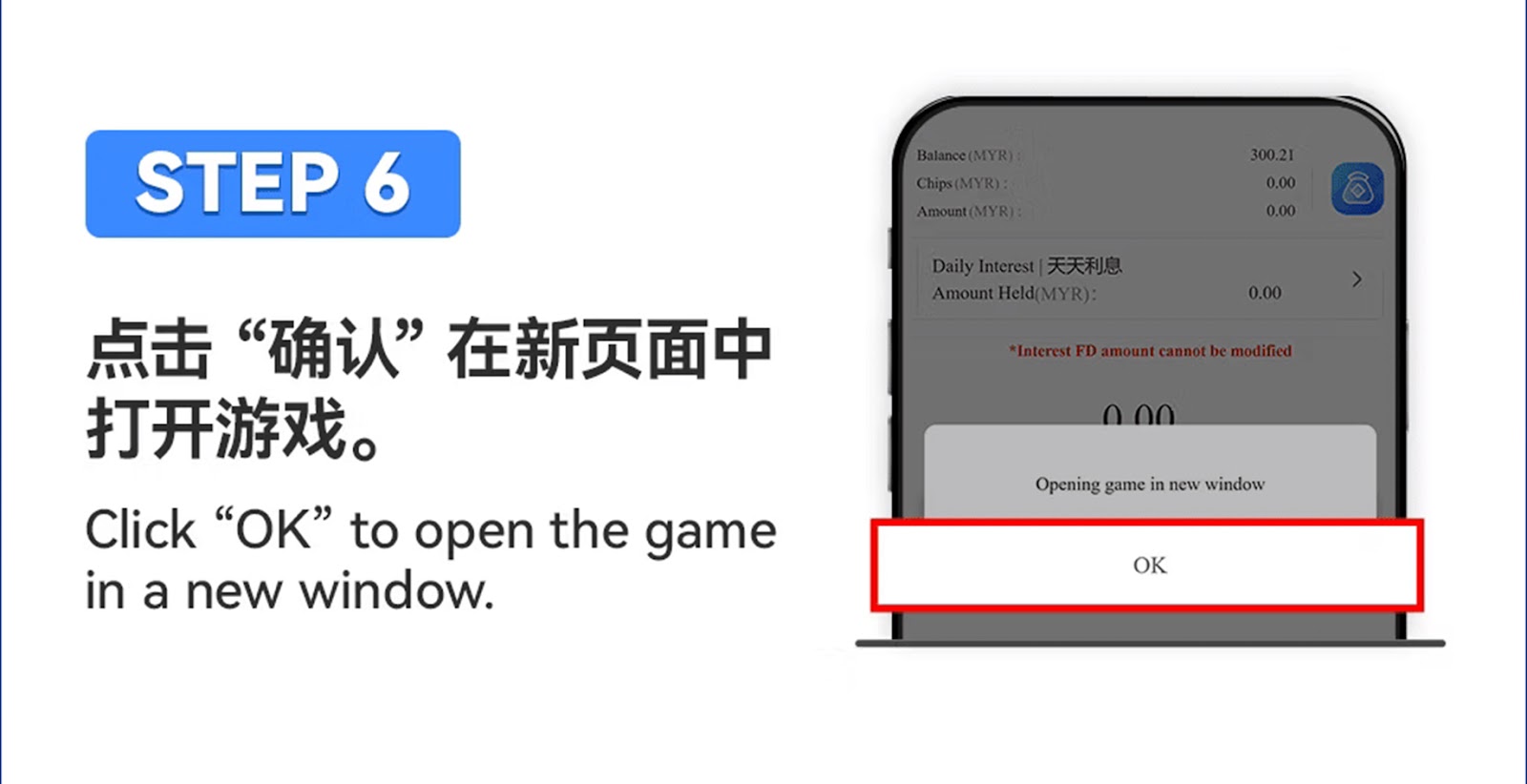
若游戏过程中 Interest FD 余额不足,系统可能会根据游戏类型从其他余额扣除。 结算后,中奖金额会返还到你的主钱包。 |


步骤 1 – 进入 Star8 登录页面 |
|---|
|
使用浏览器打开 star8web.com,并使用已注册账号通过 Star8 Sign In 登录。 |
步骤 2 – 进入游戏大厅 |
|---|
|
登录后,进入 PC 版游戏大厅界面。 |
步骤 3 – 选择任意游戏类别 |
|---|
|
选择 Slots、Live Casino、Sports,或任何支持 Interest FD 的游戏类型。 |
步骤 4 – 选择 Interest FD 余额 |
|---|
|
当系统提示选择余额来源时,点击 “Interest FD” 将 FD 金额带入游戏。 |
步骤 5 – 开始游戏 |
|---|
|
游戏余额会刷新并包含你选择的 Interest FD 金额,你现在可以正常开始游戏。 |
Interest FD 结算规则 |
|---|
|
在游戏结算计算期间,Interest FD 余额可能会暂时降为 0。 结算完成后,中奖金额或剩余 Interest FD 资金将按情况返还并添加回你的钱包。 |
结算完成前请先退出游戏 |
|---|
|
如果你在结算完成前退出游戏,FD 余额可能不会立即更新。 系统会在结算完成后处理中奖金额或余额扣除。 |
游戏内无法修改 FD 金额 |
|---|
|
Interest FD 余额在使用期间为固定值。只有在 star8web.com 进行订阅或赎回, 才能更改原始 FD 金额。 |
体验自动整合 Interest FD 余额带来的顺畅游戏过程。 使用 Star8 Sign In 登录并立即探索所有支持的游戏中的 Interest FD 功能。
前往 Interest FD 页面
As a leading international online gaming company, Star8 proudly features world-class game information experts, a helpful and experienced customer service team, and a professional marketing and state-of-the-art technical team. This collaborative effort ensures that our customers, with Star8 at the forefront, can indulge in the ultimate gaming experience within a safe and secure environment. We prioritize the satisfaction and safety of our players through the combined expertise of our dedicated teams














 CN
CN
 EN
EN BM
BM