


Step 1: Open the Withdrawal Menu |
|---|
|
Go to the "Top Up" page on your Star8 Sign In interface and tap the "Withdraw" button to open the withdrawal panel. |
Step 2: Switch Currency to USDT |
|---|
|
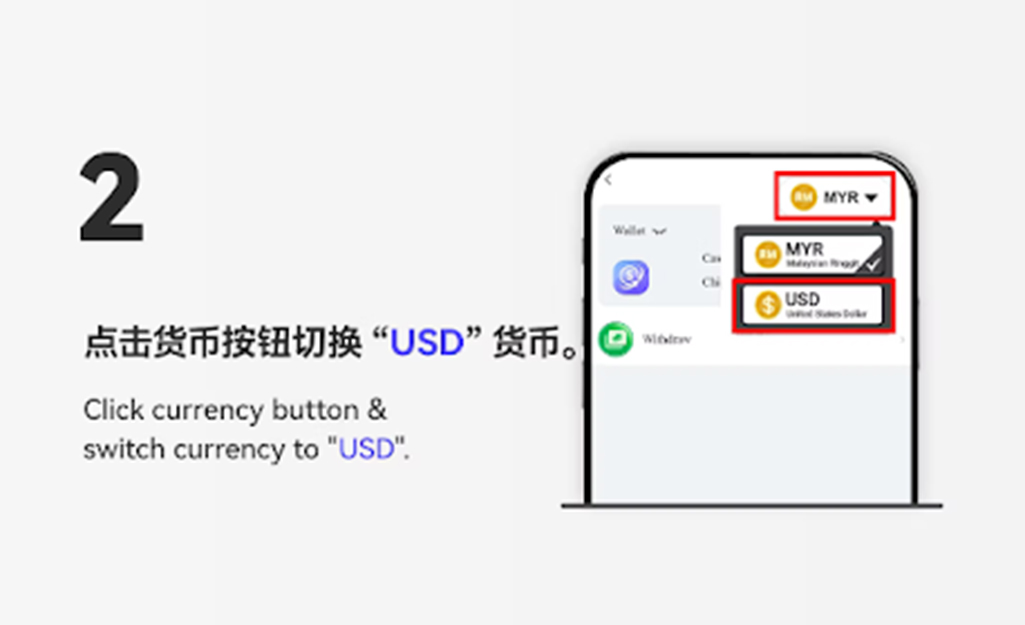
Click the currency button and select "USDT" to begin the crypto withdrawal process. |
Step 3: Choose "USDT Withdraw" |
|---|
|
Tap the "USDT Withdraw" option to proceed with entering your withdrawal details. |
Step 4: Enter Withdrawal Amount |
|---|
|
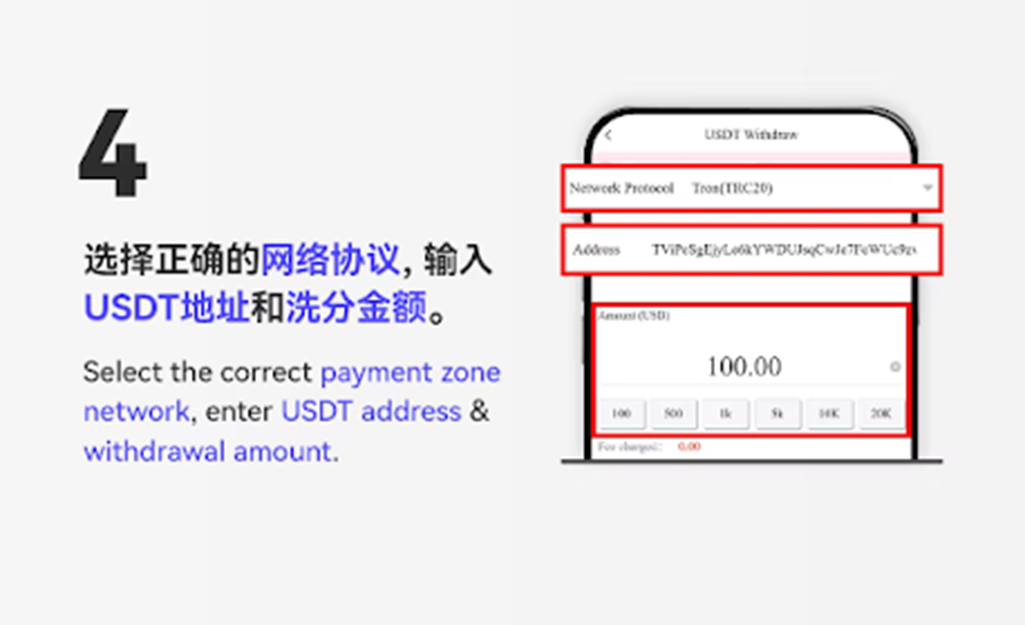
Input your preferred withdrawal amount, making sure it meets the minimum required amount, then click the "Next" button. |
Step 5: Submit Withdrawal |
|---|
|
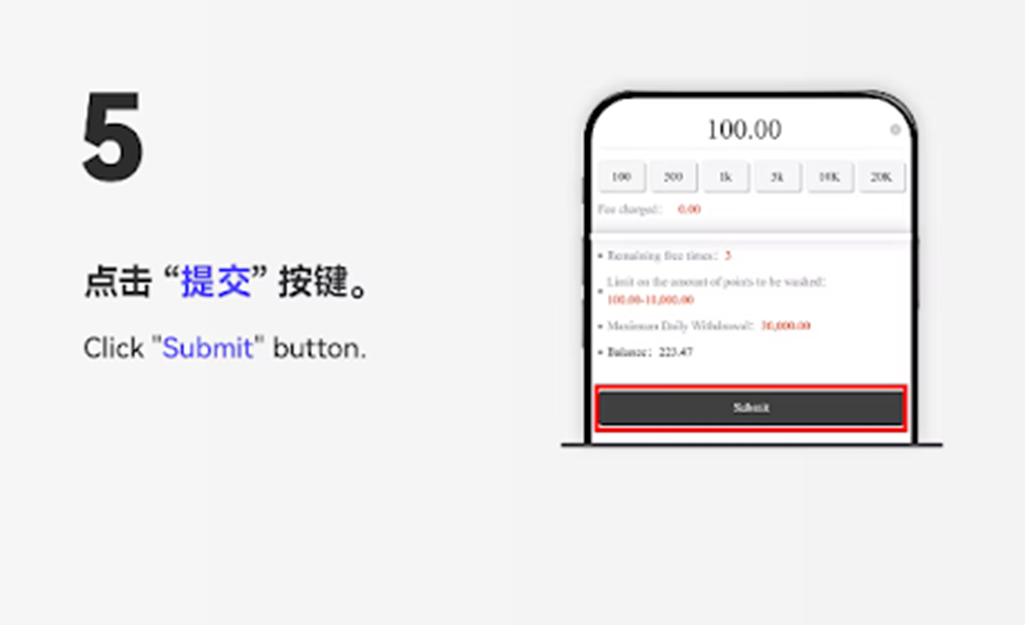
Click the "Submit" button to submit your USDT withdrawal request for processing. |
Step 6: Verify Withdrawal Status |
|---|
|
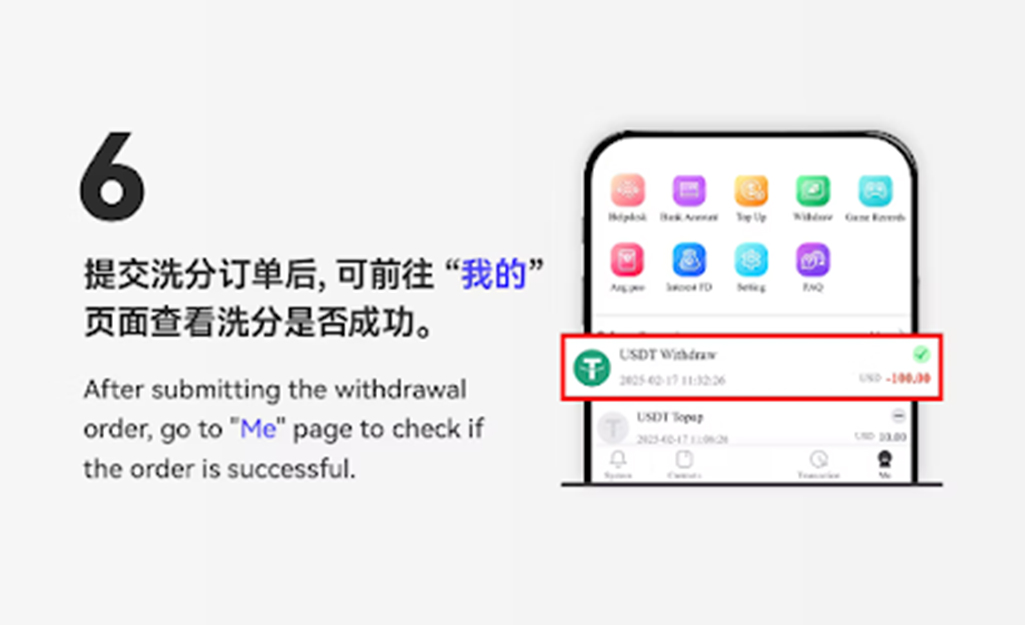
After submitting your withdrawal, return to the Star8 Sign In withdrawal page to check whether your USDT request has been successfully processed. |


Step 1: Open the Withdrawal Panel |
|---|
|
On the Star8 Sign In PC interface, go to the "Top Up" page and click the "Withdraw" button in the Tools section. |
Step 2: Select USDT Currency |
|---|
|
Choose "USDT" from the currency list to enable crypto withdrawals. |
Step 3: Click "USDT Withdraw" |
|---|
|
Select the "USDT Withdraw" option to continue. |
Step 4: Enter Wallet Address and Withdrawal Amount |
|---|
|
Select the correct network type, enter your personal USDT wallet address, and fill in the withdrawal amount before proceeding. |
Step 5: Confirm Withdrawal |
|---|
|
Review the details and click the "Next" button to submit your withdrawal request. |
Step 6: Check Status After Submission |
|---|
|
After submitting the request, return to the Star8 Sign In withdrawal record page to verify whether the transaction was successful. |
Use a Correct and Valid Wallet Address |
|---|
|
Always ensure the wallet address you enter matches your personal USDT receiving address to avoid irreversible losses. |
Select the Correct Network Type |
|---|
|
Make sure you choose the appropriate blockchain network such as TRC20 or ERC20 based on your wallet provider’s supported network. |
Withdrawal Processing Time |
|---|
|
Blockchain confirmation times may vary. Star8 Sign In users should allow some time for the USDT withdrawal to be processed. |
Double-Check All Details Before Submitting |
|---|
|
Incorrect entries, such as mistyped wallet addresses or wrong networks, may cause failed withdrawals and cannot be reversed. |
Fast Global Settlements |
|---|
|
USDT provides quick settlement times, enabling Star8 Sign In users to receive funds faster compared to traditional banking methods. |
Borderless and Convenient |
|---|
|
With USDT withdrawals, users can access their funds from anywhere in the world, without regional banking limitations. |
Secure and Stable |
|---|
|
USDT offers a stable withdrawal method that minimizes volatility, ensuring consistent value when receiving crypto transfers. |
Follow this official Star8 Sign In guide to complete your USDT withdrawal safely and efficiently. Enjoy fast, secure, and convenient cryptocurrency payouts anytime.
Withdraw USDT Now
As a leading international online gaming company, Star8 proudly features world-class game information experts, a helpful and experienced customer service team, and a professional marketing and state-of-the-art technical team. This collaborative effort ensures that our customers, with Star8 at the forefront, can indulge in the ultimate gaming experience within a safe and secure environment. We prioritize the satisfaction and safety of our players through the combined expertise of our dedicated teams












 CN
CN
 EN
EN BM
BM