


Step 1: Open the Withdrawal Menu |
|---|
|
Go to the "Top Up" page on your Star8 Sign In interface and tap the "Withdraw" button to open the withdrawal panel. |
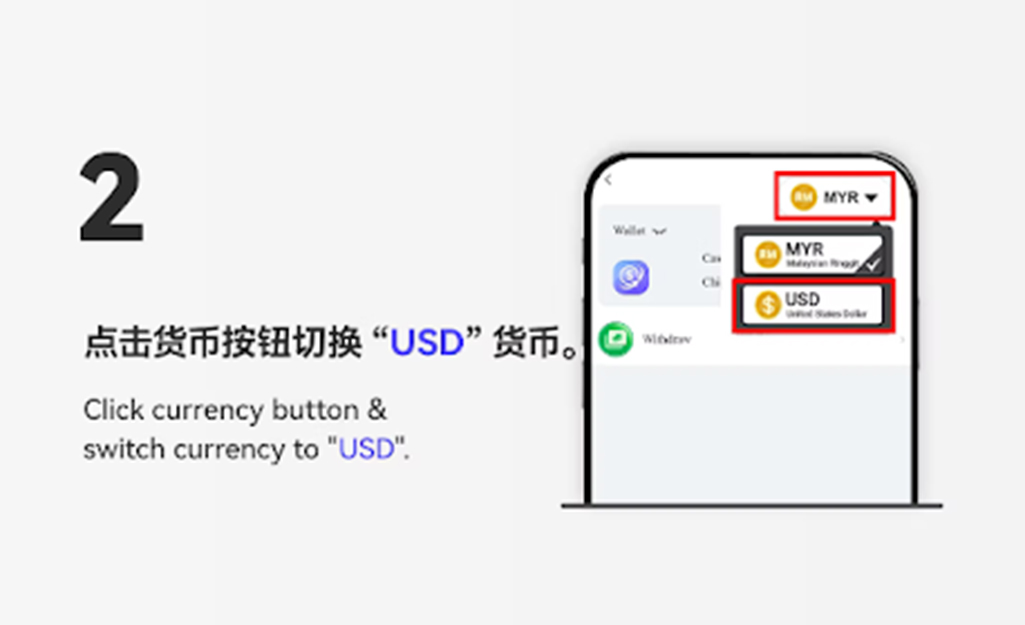
Step 2: Switch Currency to USDT |
|---|
|
Click the currency button and select "USDT" to begin the crypto withdrawal process. |
Step 3: Choose "USDT Withdraw" |
|---|
|
Tap the "USDT Withdraw" option to proceed with entering your withdrawal details. |
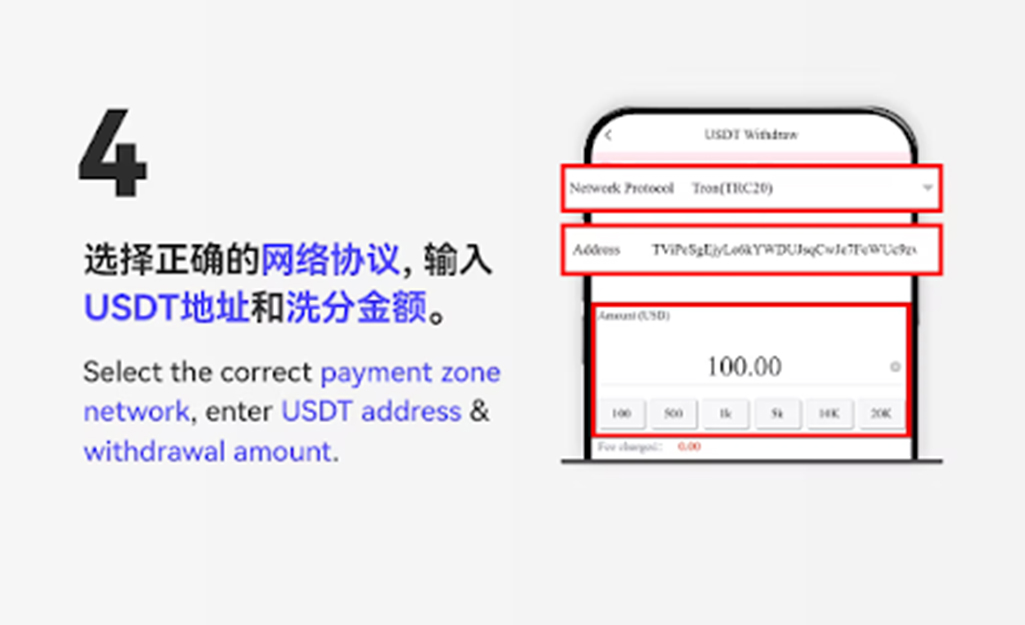
Step 4: Enter Withdrawal Amount |
|---|
|
Input your preferred withdrawal amount, making sure it meets the minimum required amount, then click the "Next" button. |
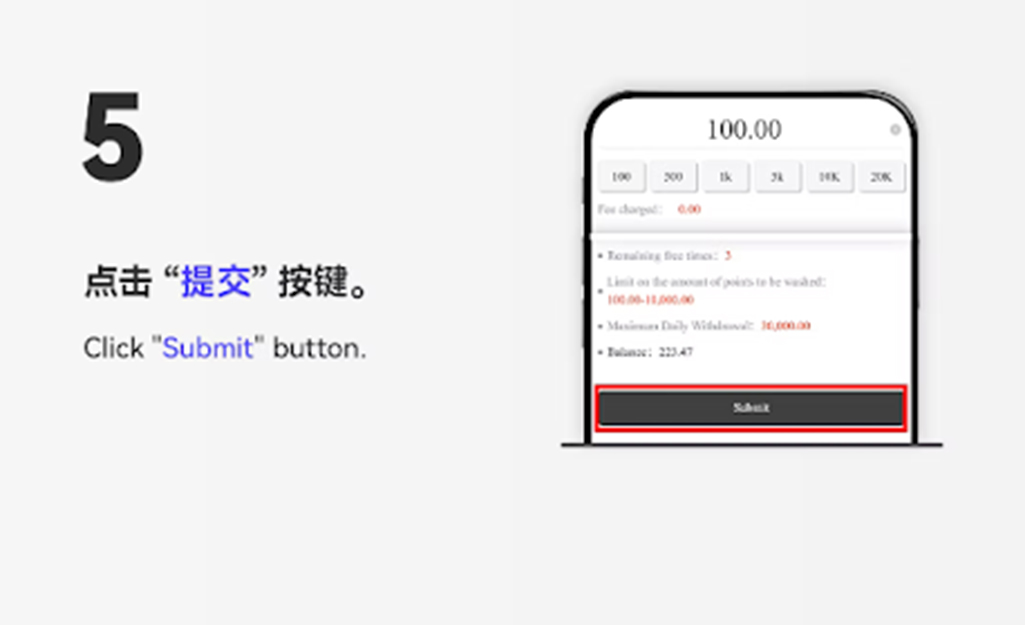
Step 5: Submit Withdrawal |
|---|
|
Click the "Submit" button to submit your USDT withdrawal request for processing. |
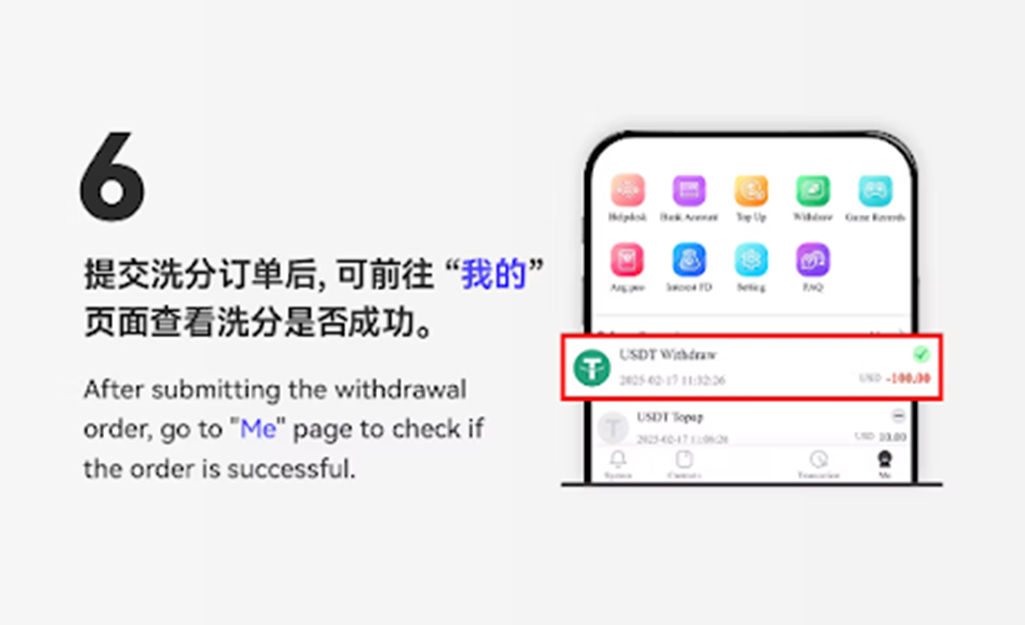
Step 6: Verify Withdrawal Status |
|---|
|
After submitting your withdrawal, return to the Star8 Sign In withdrawal page to check whether your USDT request has been successfully processed. |


Step 1: Open the Withdrawal Panel |
|---|
|
On the Star8 Sign In PC interface, go to the "Top Up" page and click the "Withdraw" button in the Tools section. |
Step 2: Select USDT Currency |
|---|
|
Choose "USDT" from the currency list to enable crypto withdrawals. |
Step 3: Click "USDT Withdraw" |
|---|
|
Select the "USDT Withdraw" option to continue. |
Step 4: Enter Wallet Address and Withdrawal Amount |
|---|
|
Select the correct network type, enter your personal USDT wallet address, and fill in the withdrawal amount before proceeding. |
Step 5: Confirm Withdrawal |
|---|
|
Review the details and click the "Next" button to submit your withdrawal request. |
Step 6: Check Status After Submission |
|---|
|
After submitting the request, return to the Star8 Sign In withdrawal record page to verify whether the transaction was successful. |
Use a Correct and Valid Wallet Address |
|---|
|
Always ensure the wallet address you enter matches your personal USDT receiving address to avoid irreversible losses. |
Select the Correct Network Type |
|---|
|
Make sure you choose the appropriate blockchain network such as TRC20 or ERC20 based on your wallet provider’s supported network. |
Withdrawal Processing Time |
|---|
|
Blockchain confirmation times may vary. Star8 Sign In users should allow some time for the USDT withdrawal to be processed. |
Double-Check All Details Before Submitting |
|---|
|
Incorrect entries, such as mistyped wallet addresses or wrong networks, may cause failed withdrawals and cannot be reversed. |
Fast Global Settlements |
|---|
|
USDT provides quick settlement times, enabling Star8 Sign In users to receive funds faster compared to traditional banking methods. |
Borderless and Convenient |
|---|
|
With USDT withdrawals, users can access their funds from anywhere in the world, without regional banking limitations. |
Secure and Stable |
|---|
|
USDT offers a stable withdrawal method that minimizes volatility, ensuring consistent value when receiving crypto transfers. |
Follow this official Star8 Sign In guide to complete your USDT withdrawal safely and efficiently. Enjoy fast, secure, and convenient cryptocurrency payouts anytime.
Withdraw USDT Now
Sebagai sebuah syarikat permainan dalam talian yang terkemuka di peringkat antarabangsa, Star8 dengan bangganya menyediakan pakar-pakar maklumat permainan bertaraf dunia, pasukan perkhidmatan pelanggan yang membantu dan berpengalaman, serta pasukan pemasaran profesional dan teknikal bertaraf tinggi. Ini merupakan usaha bersama untuk memastikan pelanggan kami, dengan Star8 di barisan hadapan, dapat menikmati pengalaman permainan yang terbaik dalam persekitaran yang selamat dan selesa. Kami memberi keutamaan kepada kepuasan dan keselamatan pemain kami melalui kepakaran bersama pasukan kami yang berdedikasi.












 CN
 EN
 BM