
STAR 8
Top Up Made Easy

promotion image

Method 01 - How to Online Top Up with EzPay

how-ezpay-topup

How to Online Top Up with EzPay

  1. Go to the Tools and click 'Top up / Withdraw'.

  2. Click 'Instant top up (channel2)'.

  3. Select your bank for the top up.

  4. Enter your top up amount and click 'Next'.

  5. Confirm your top up amount and bank, then click 'Next'.

  6. Enter your username and click 'Next'.

  7. Verify security image and enter your password to log in.

  8. Go to your banking app and approve the payment.

  9. Online top up successful!

  10. Process complete.

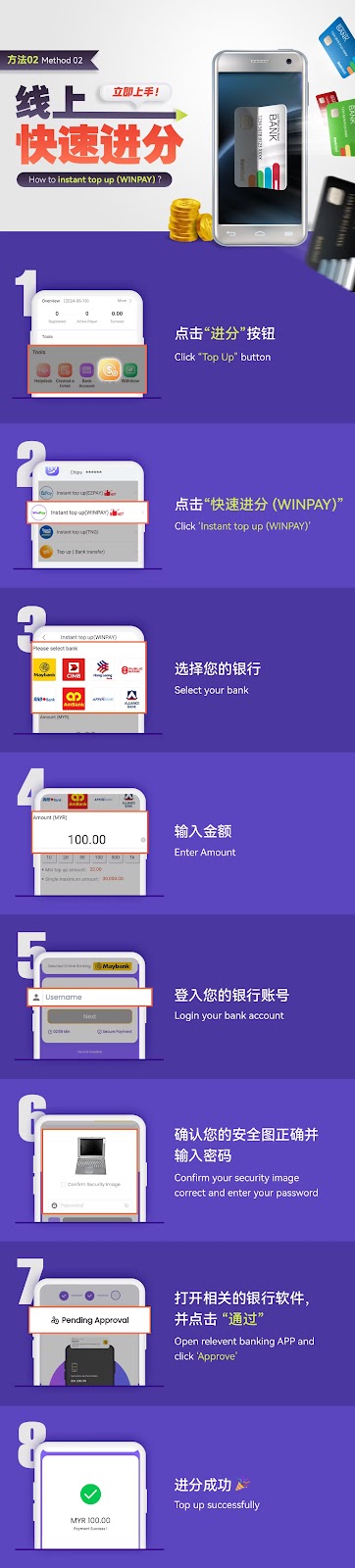
Method 02 - How to Instant Top Up with WINPAY

how-instant-winpay-topup

How to Instant Top Up with WINPAY

  1. Click the "Top Up" button.

  2. Click ""Instant Top Up (WINPAY)

  3. Select your bank.

  4. Enter the top up amount.

  5. Log in to your bank account.

  6. Confirm the security image is correct and enter your password.

  7. Open the relevant banking app and click "Approve".

  8. Top up successfully completed!

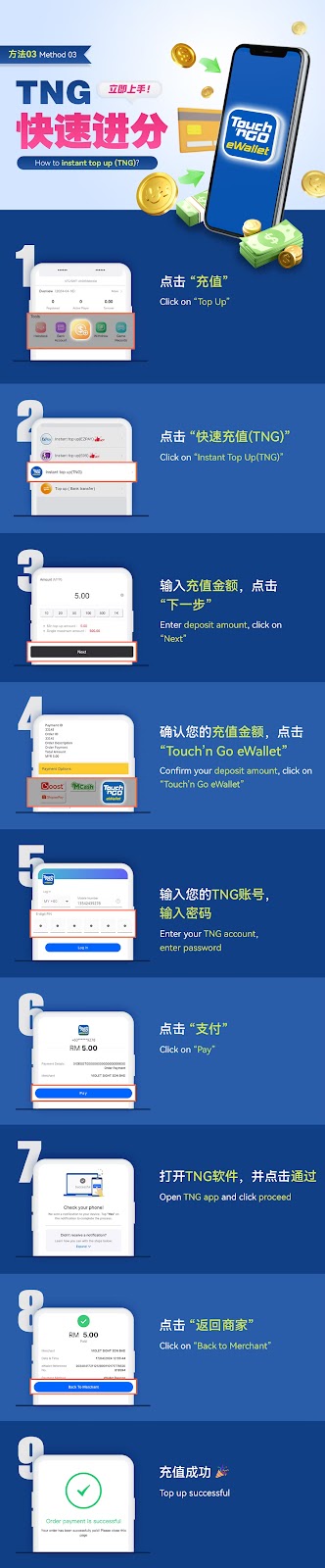
Method 03 - How to Instant Top Up with TNG

how-instant-tng-topup

How to Instant Top Up with TNG

  1. Click on "Top Up".

  2. Click "Instant Top Up (TNG)".

  3. Enter your deposit amount and click "Next".

  4. Confirm the deposit amount and click "Touch’n Go eWallet".

  5. Enter your TNG account details and password.

  6. Click "Pay".

  7. Open the TNG app and click "Proceed".

  8. Click "Back to Merchant".

  9. Top up successfully completed!"

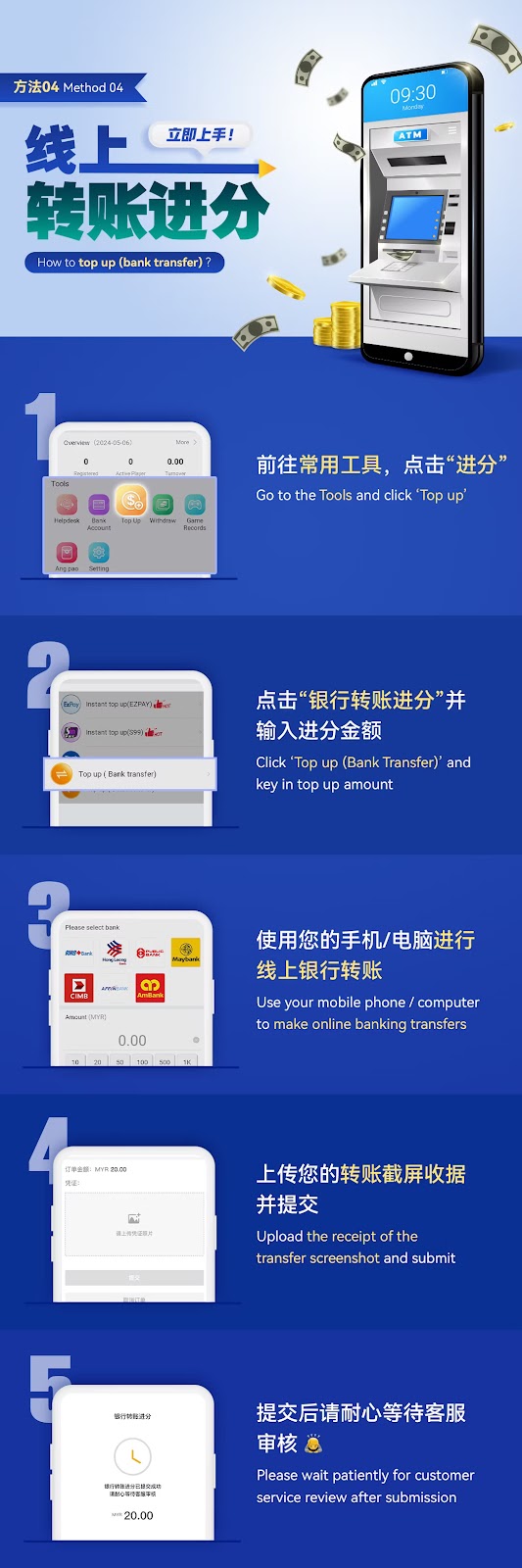
Method 04 - How to Top Up with Bank Transfer

how-bank-transfer-topup

How to Top Up with Bank Transfer

  1. Go to the Tools and click 'Top Up'.

  2. Click 'Top up (Bank Transfer)' and enter the top up amount.

  3. Use your mobile phone or computer to complete the bank transfer.

  4. Upload a screenshot of the receipt and submit.

  5. Wait for customer service to review and approve your transfer."

Copyright @ 2025 Laravel. All Rights Reserved By Laravel